Table of Contents
Symptom
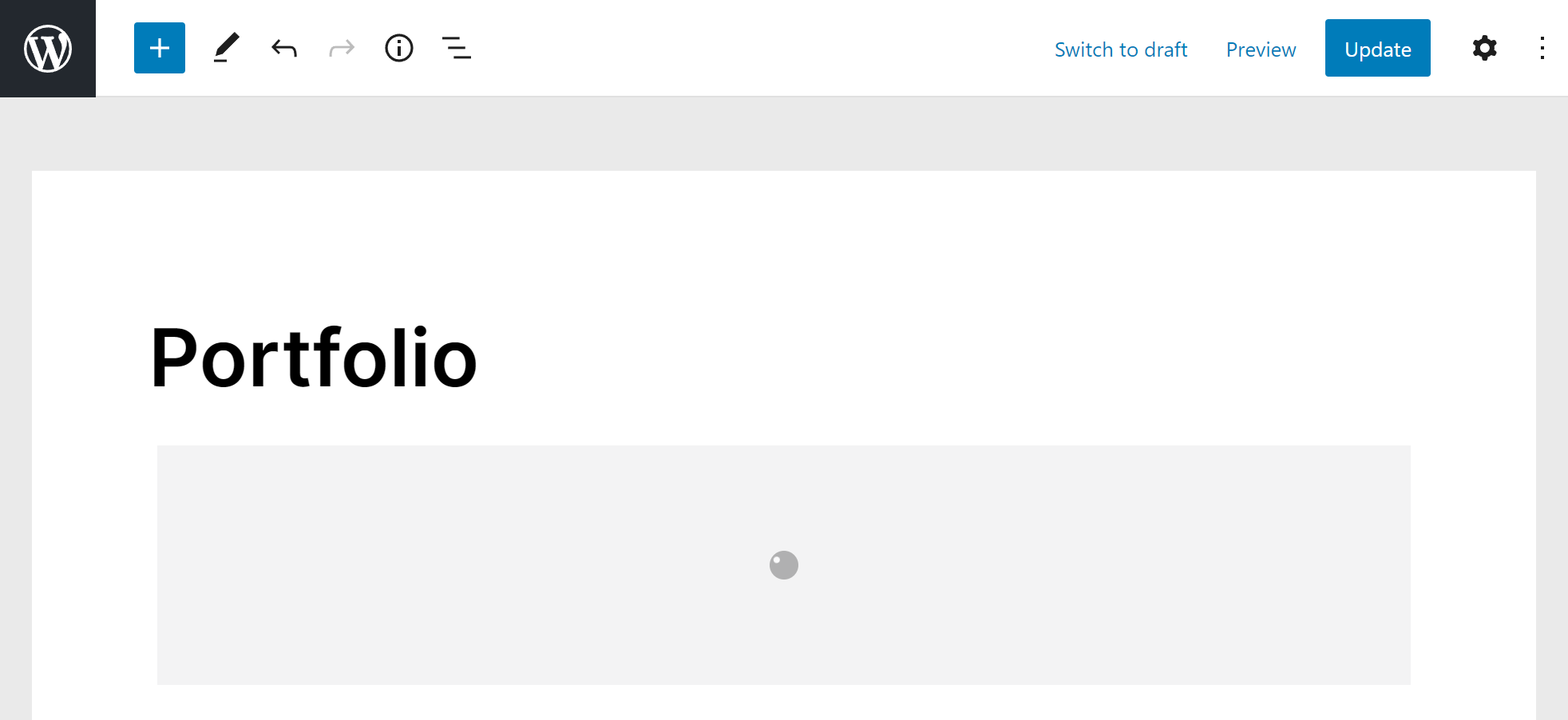
The block shows a spinner forever, or a blank frame, in the block editor or in the Elementor widget.
Cause
The preview is your site’s front end loaded in a frame at ?vp_preview=vp_preview. Anything that redirects, caches, minifies or rewrites that request breaks it:
- A maintenance or coming-soon plugin, or a membership redirect.
- A full-page cache or HTML minifier that ignores the
DONOTCACHEPAGEflag. - A security plugin blocking POST requests to pages.
- A mismatch between the WordPress Address and the Site Address, one with
wwwand the other without. - Cloudflare Rocket Loader, on plugin versions before 3.7.0.
Fix
- Update the plugin. 3.7.0 fixed Rocket Loader, 3.8.0 fixed the preview jumping while resizing, and WordPress 7.1’s isolated editor is handled.
- Exclude
?vp_preview=vp_previewfrom caching, minification and redirects in your optimization, security and maintenance plugins. - Make the WordPress Address and the Site Address use the same host and scheme, in Settings → General.
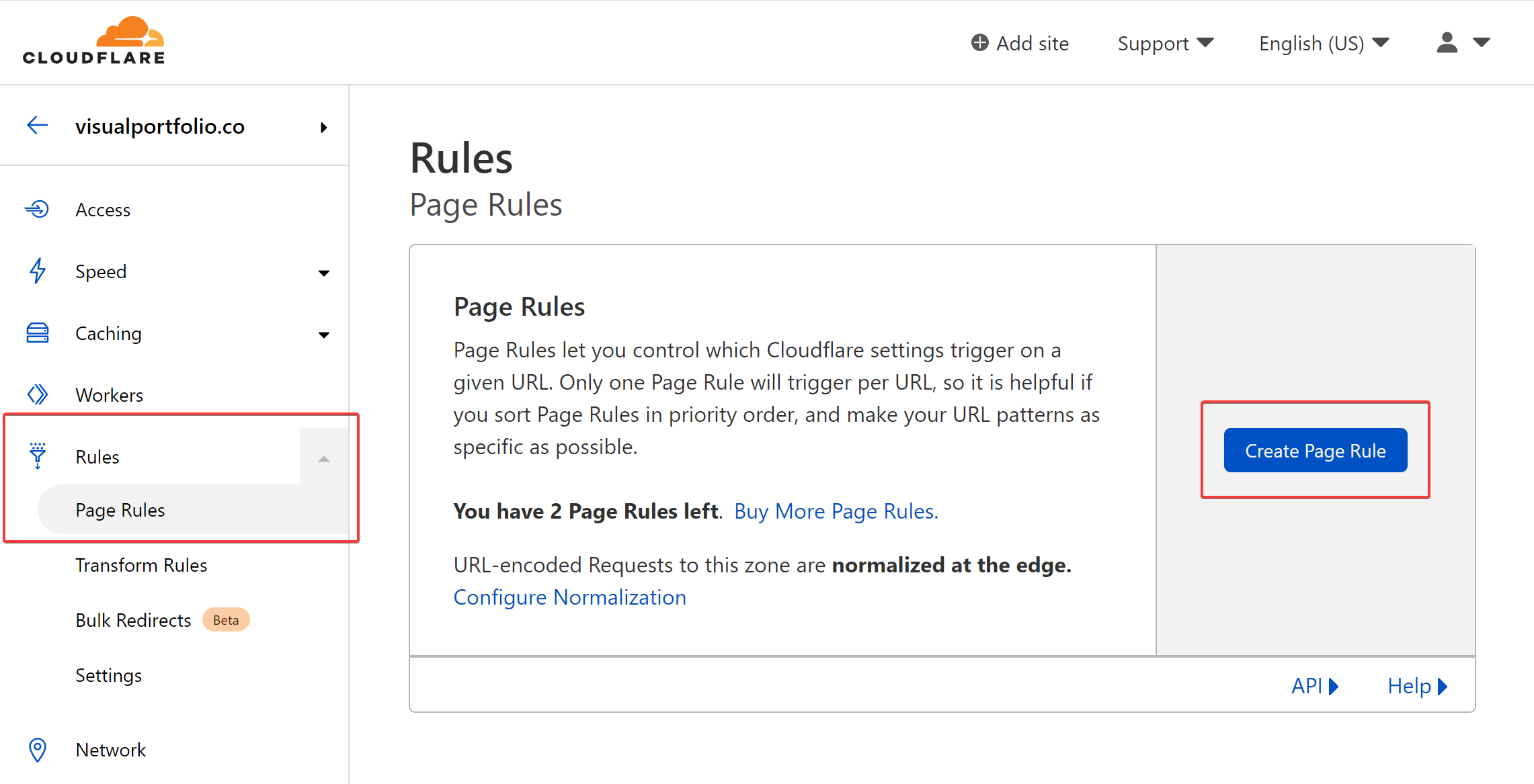
- On Cloudflare, add a page rule for
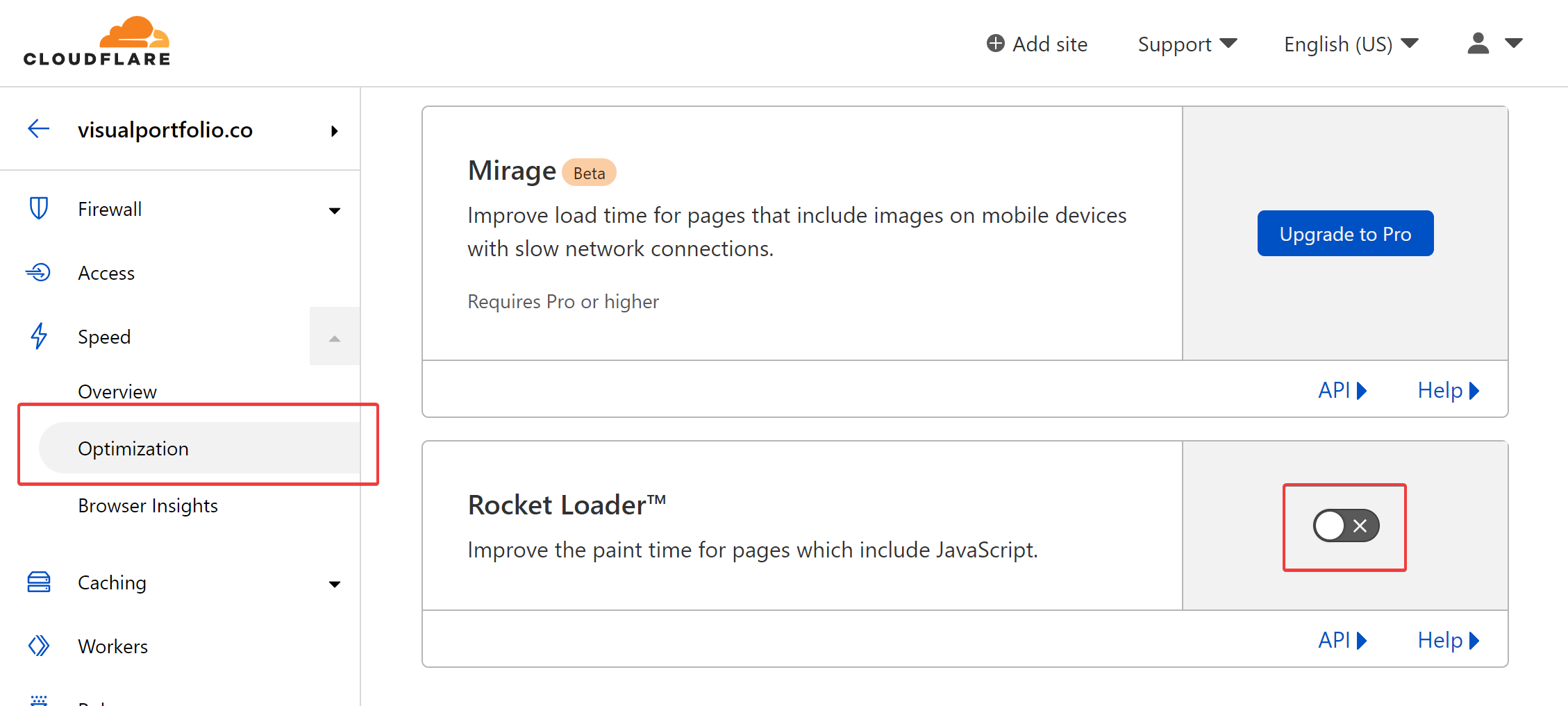
yoursite.com/?vp_preview=vp_preview*with Rocket Loader off, or turn Rocket Loader off under Speed → Optimization. - Open the preview URL from the browser console’s network tab. The response tells you which plugin answered.
Cloudflare page rule
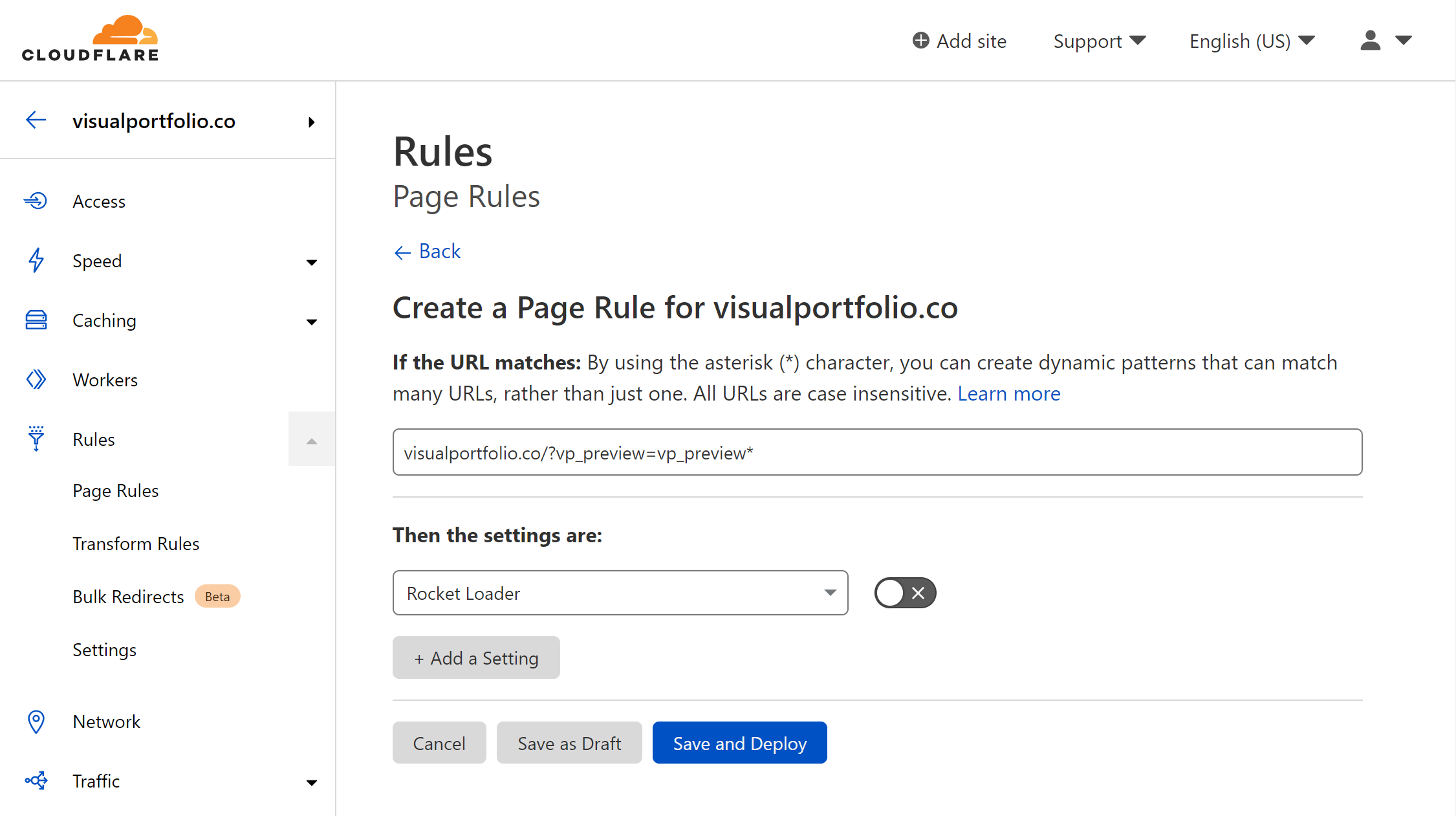
Add a page rule in the Cloudflare dashboard for yoursite.com/?vp_preview=vp_preview*.
Set Rocket Loader to Off in that rule and save it. Cloudflare needs one to two minutes to deploy the change.
Turning Rocket Loader off
To turn it off for the whole site instead, open Speed → Optimization in Cloudflare and switch Rocket Loader off.