
Table of Contents
Connect
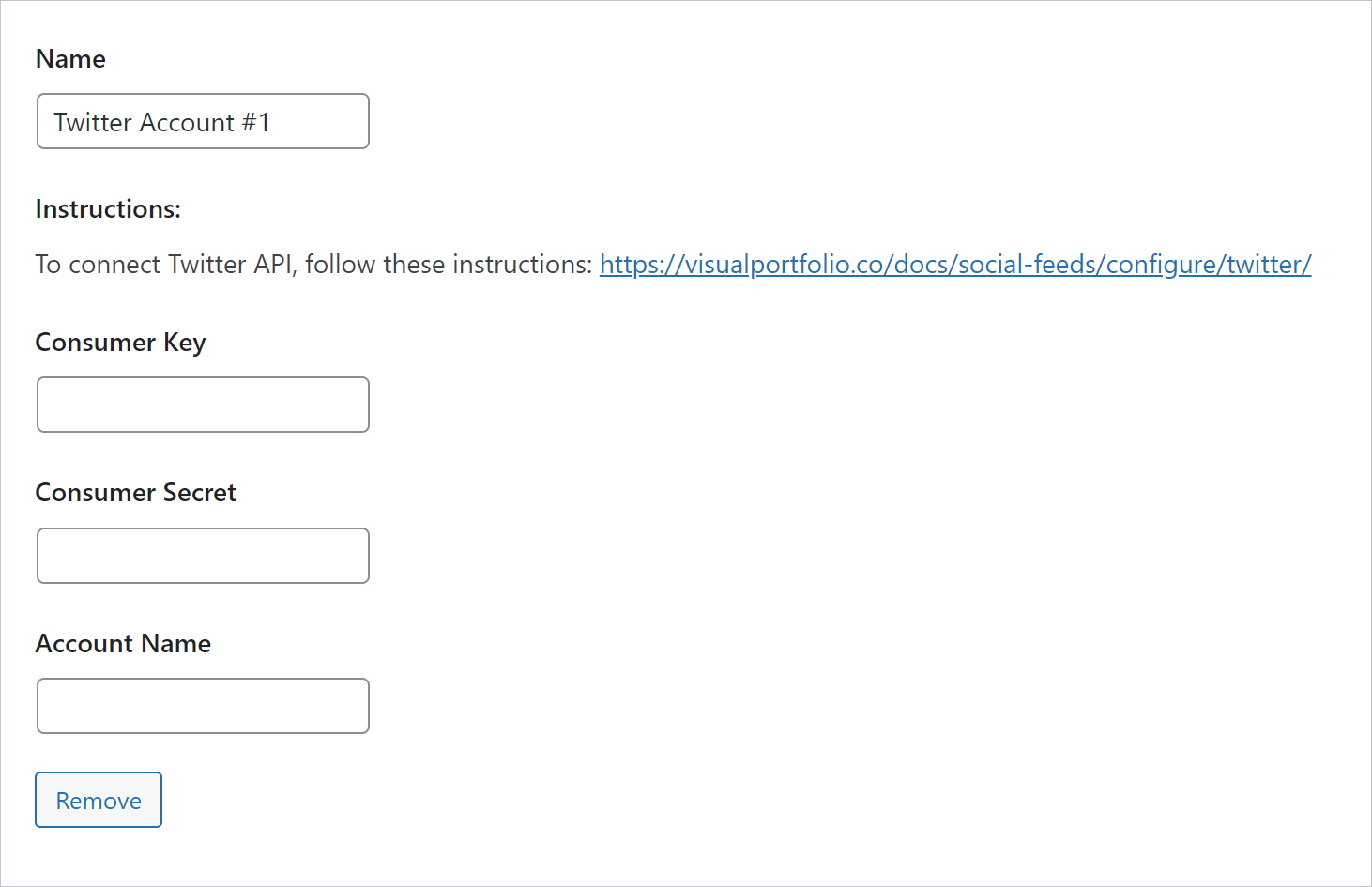
- In the X Developer Portal, create a project and an app, and copy its API Key and API Key Secret (called Consumer Key and Consumer Secret in older docs).
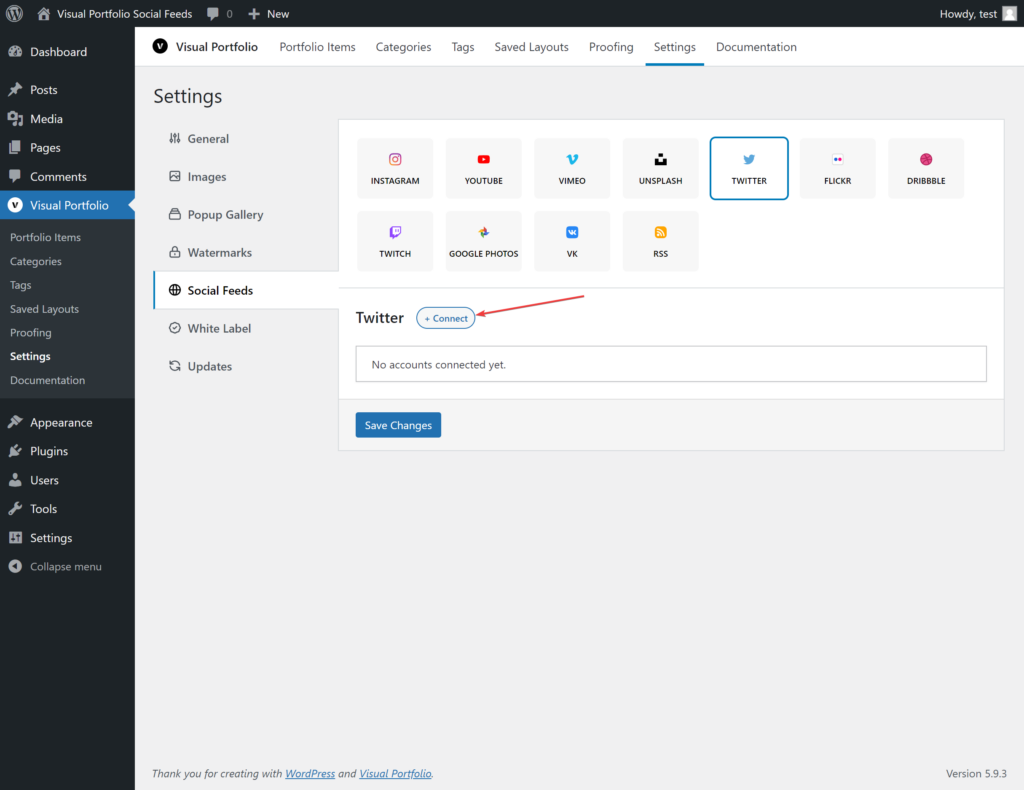
- Settings → Social Feeds → X → + Connect, paste them, enter the Account Name (the handle without
@,nkdevvforhttps://x.com/nkdevv), Save Changes.
Reading tweets through the X API needs a paid API tier; the free tier does not return tweets.
Fields
| Field | Values | Default |
|---|---|---|
| Name | Text | X Account #n |
| Consumer Key, Consumer Secret | From the app | |
| Account Name | Handle | |
| Max Tweets | 1 to 100. The X API rejects requests for more than 100 | 30 |
What is imported
Tweets of the account with their text, date, likes and repost counts, and their first photo. Tweets without media are imported without an image and show the Placeholder Image. Video tweets show the preview image.
Errors
- “Can’t get the bearer token, check your credentials”: wrong key or secret.
- “Bearer Token is good, check your query”: the request failed; usually Max Tweets above 100, a wrong Account Name, or an API tier that does not allow reads.