Table of Contents
Widget
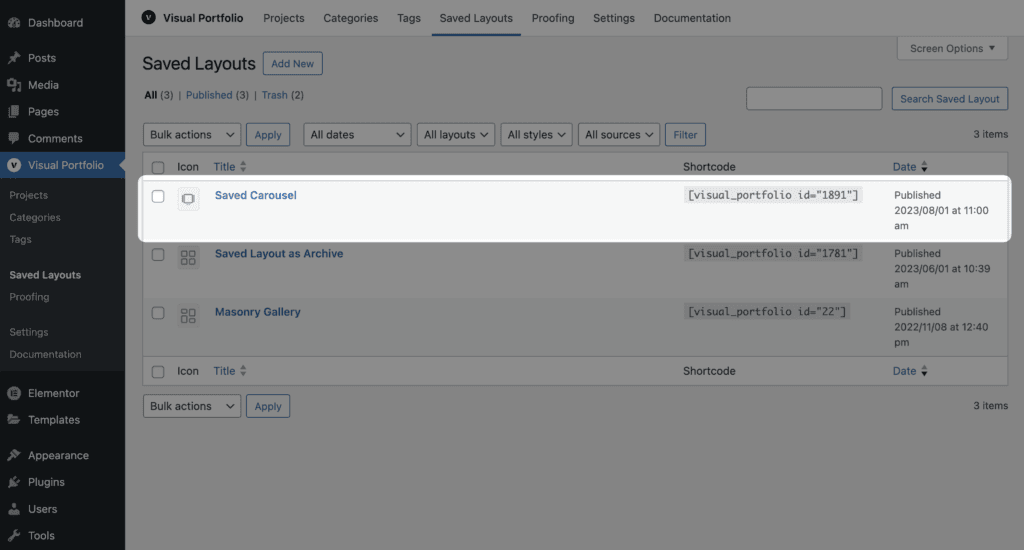
- Create a Saved Layout.
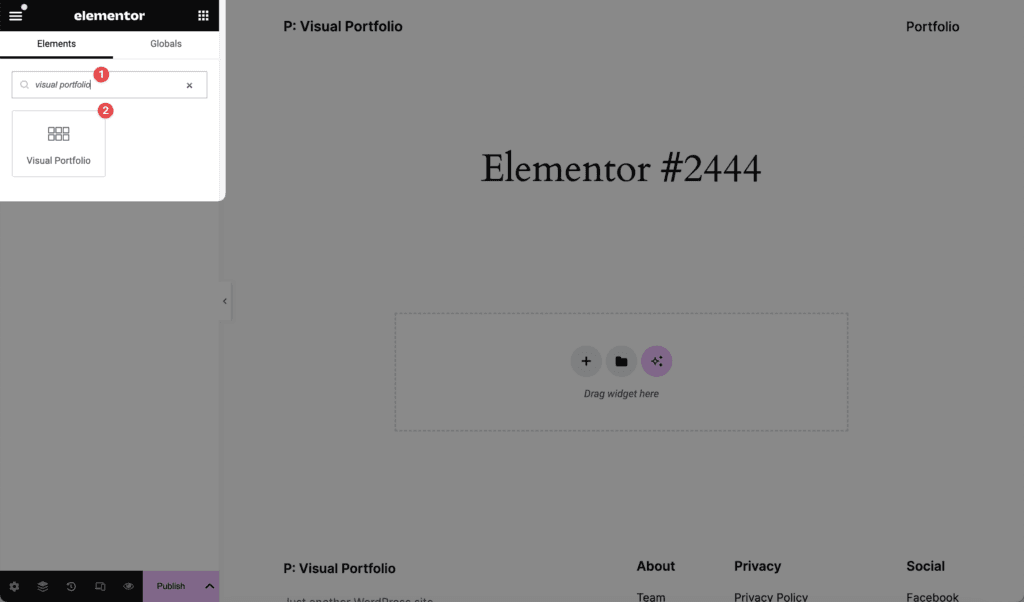
- In Elementor, search the widgets for Visual Portfolio and drag the widget in.
- Choose the layout in Saved Layout. The editor shows a live preview of it.
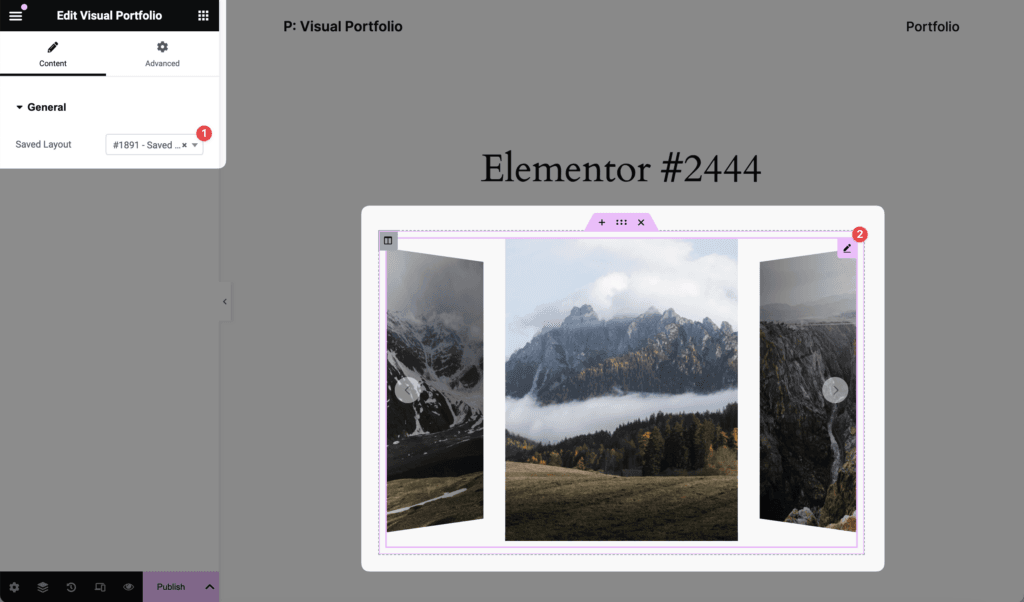
The widget renders [visual_portfolio id="…"] on the front end, so the shortcode works in any Elementor text widget as well.
Elementor’s own lightbox is switched off for gallery links automatically, so images open in the Visual Portfolio lightbox only. The plugin also reuses Elementor’s copy of the Swiper library for the Slider layout.
Edit projects with Elementor
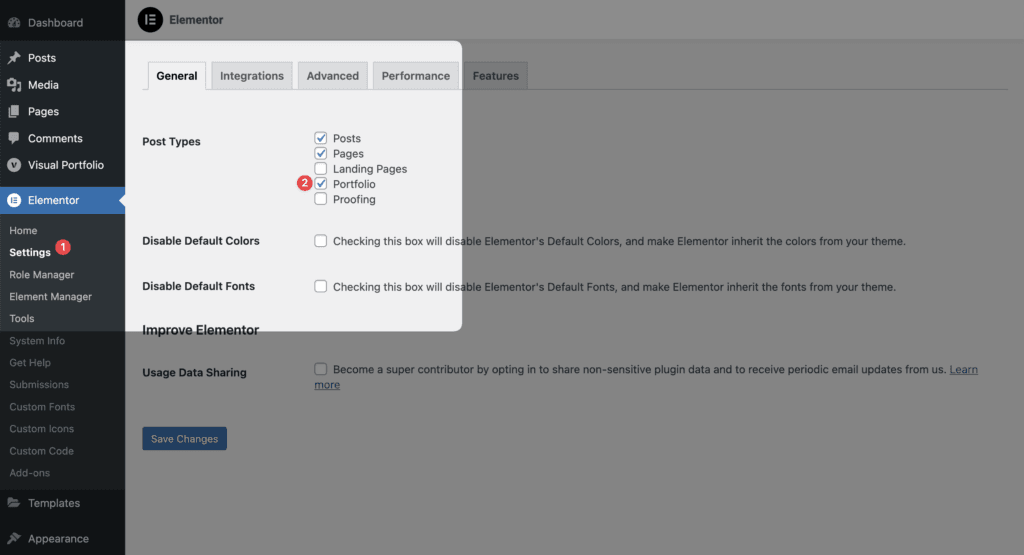
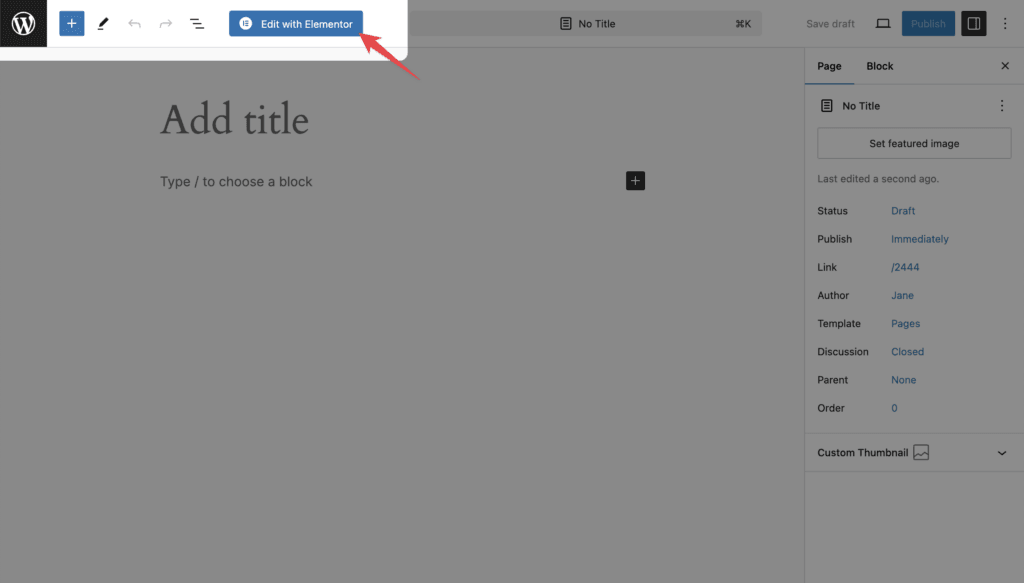
Elementor → Settings → Post Types: tick Portfolio. The Edit with Elementor button then appears on projects.