
Table of Contents
Items become slides of a carousel (the Swiper library).
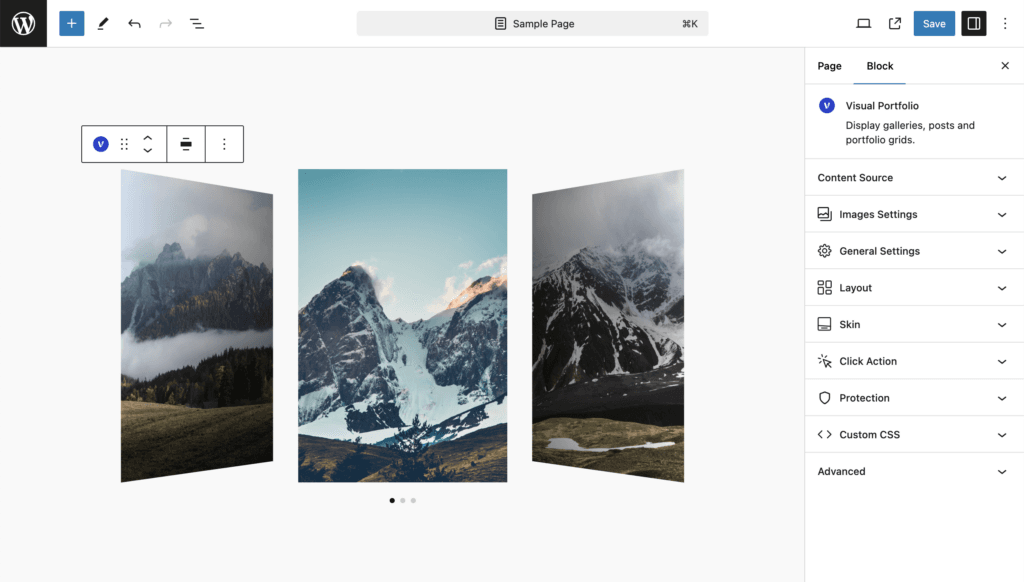
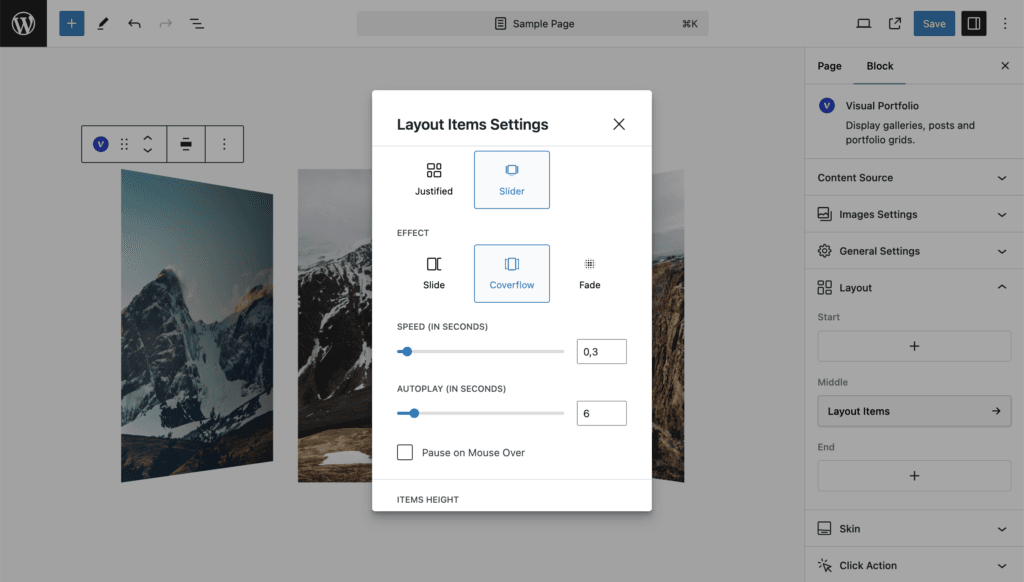
Effect, speed, autoplay
| Setting | Values | Default | Notes |
|---|---|---|---|
| Effect | Slide, Coverflow, Fade | Slide | Fade shows one slide at a time; Slides Per View and Centered Slides are hidden for it |
| Speed (in Seconds) | 0 to 5, step 0.1 | 0.3 | Duration of the transition |
| Autoplay (in Seconds) | 0 to 60, step 0.2 | 6 | Interval between slides. 0 turns autoplay off |
| Pause on Mouse Over | on / off | off | Shown when Autoplay is above 0 |
Height
| Setting | Values | Default | Notes |
|---|---|---|---|
| Items Height | Auto, Static (px), Dynamic (%) | Dynamic (%) | Auto uses the image ratio. Static is a fixed pixel height (30 to 800, default 300). Dynamic is a percentage of the slide width (10 to 300, default 80), so the height scales with the screen |
| Items Minimal Height | CSS length, for example 300px or 80vh | empty | Shown for Static and Dynamic. 100vh gives a full-screen carousel. Values in vh do not show in the editor preview |
Slides
| Setting | Values | Default | Notes |
|---|---|---|---|
| Slides Per View | Auto, Custom (1 to 6) | Custom, 3 | Auto sizes slides by their content width. Hidden for the Fade effect |
| Centered Slides | on / off | on | The active slide sits in the middle; off keeps it at the left |
| Loop | on / off | off | The carousel wraps around |
| Free Scroll | on / off | off | Slides do not snap to positions |
| Free Scroll Sticky | on / off | off | With Free Scroll on, snap to the nearest slide when the movement ends |
Navigation
| Setting | Values | Default | Notes |
|---|---|---|---|
| Display Arrows | on / off | on | |
| Display Bullets | on / off | off | Bullets under the carousel |
| Dynamic Bullets | on / off | off | Shown when bullets are on. Bullets only for the slides near the active one |
| Mousewheel Control | on / off | off | Scroll the carousel with the wheel |
| Display Thumbnails | on / off | off | A second carousel of thumbnails under the main one |
| Thumbnails Gap | 0 to 150 px | 15 | |
| Thumbnails Height | Auto, Static (px) 10 to 400, Dynamic (%) 10 to 200 | Static, 100 | |
| Thumbnails Per View | Auto, Custom 1 to 14 | Custom, 8 |
Gap
Gap (0 to 200 px, default 15) is the space between slides. Vertical Gap does not apply.
Small screens
A custom Slides Per View steps down with the screen width:
| Slides set | Above 1200 px | 993 to 1200 px | 769 to 992 px | 577 to 768 px | 321 to 576 px | 320 px and below |
|---|---|---|---|---|---|---|
| 6 | 6 | 5 | 4 | 3 | 2 | 1 |
| 5 | 5 | 4 | 3 | 2 | 1 | 1 |
| 4 | 4 | 4 | 3 | 2 | 1 | 1 |
| 3 | 3 | 3 | 3 | 2 | 1 | 1 |
| 2 | 2 | 2 | 2 | 2 | 1 | 1 |
Thumbnails Per View follows the same rule. See Responsive behaviour.
Elementor sites: the plugin uses Elementor’s own copy of Swiper to avoid loading two versions.