
Table of Contents
Visual Portfolio → Settings → Popup & Lightbox. Settings of the lightbox that opens when a block’s Click Action is Popup. They apply to every Visual Portfolio block and to the “Lightbox for WordPress Images” feature.
Behavior, Controls and Appearance are open. Thumbnails and slideshow, Albums, Quick View and Advanced are collapsed groups. Click a group’s name to open it.
Behavior
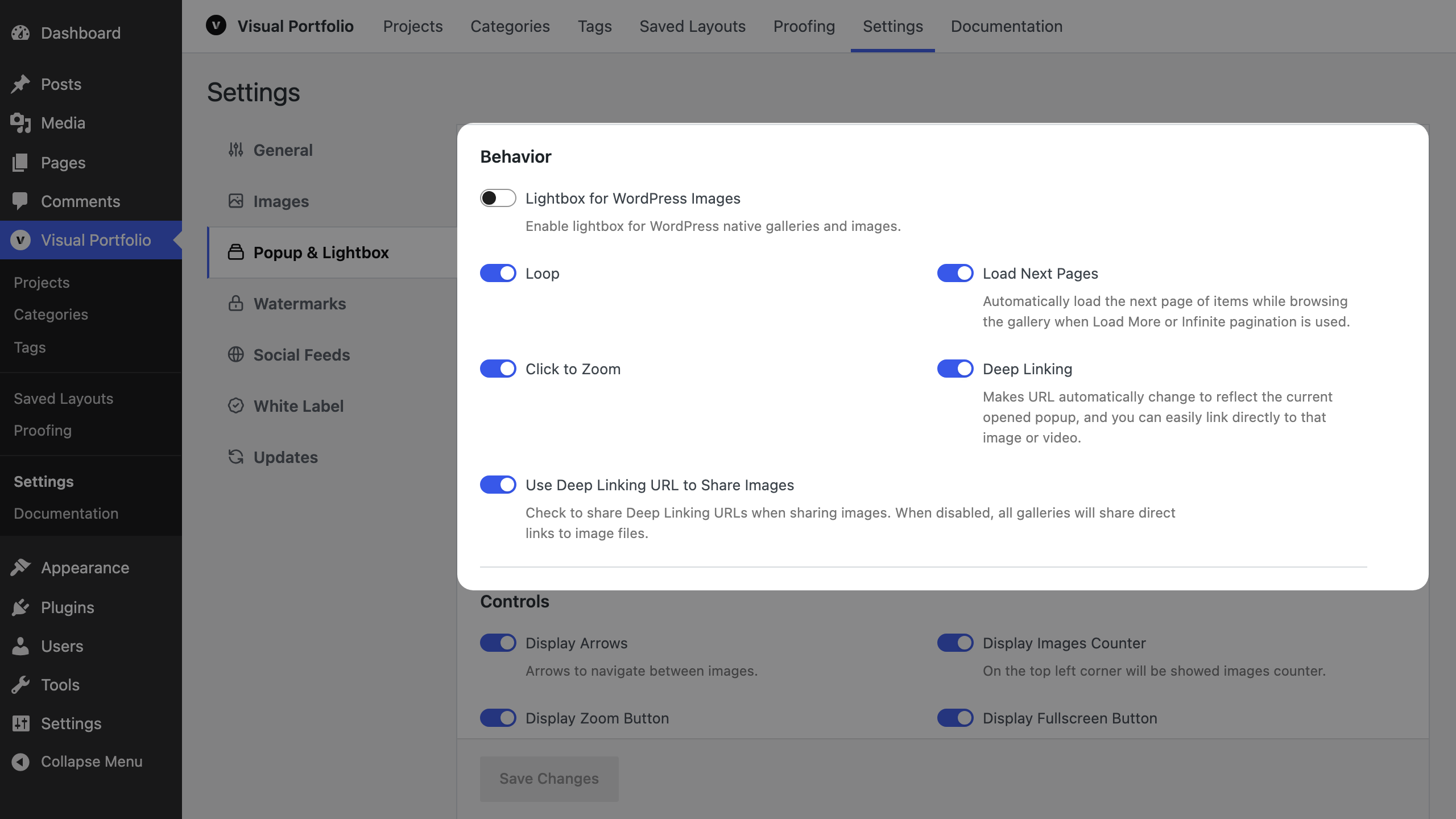
| Setting | Default | Notes |
|---|---|---|
| Lightbox for WordPress Images | off | Opens the core Image and Gallery blocks, classic galleries and Jetpack tiled galleries in this lightbox. Any other markup gets it with the class vp-lightbox-gallery on the container (images linked to their files) or on a link |
| Loop (Pro) | on | Continue from the last slide to the first |
| Load Next Pages (Pro) | on | With Load More or Infinite pagination, load the next page of the gallery while browsing; the counter shows N+ while more pages exist |
| Click to Zoom | on | A click on the image zooms in |
| Deep Linking (Pro) | on | The address changes to #&gid=…&pid=… while a slide is open; Back closes the lightbox; the link opens that slide. See Click Action |
| Use Deep Linking URL to Share Images (Pro) | on | The Share button shares the deep link with the image’s title and preview (Open Graph tags). Off: the image file URL is shared. Shown when Deep Linking is on |
Controls
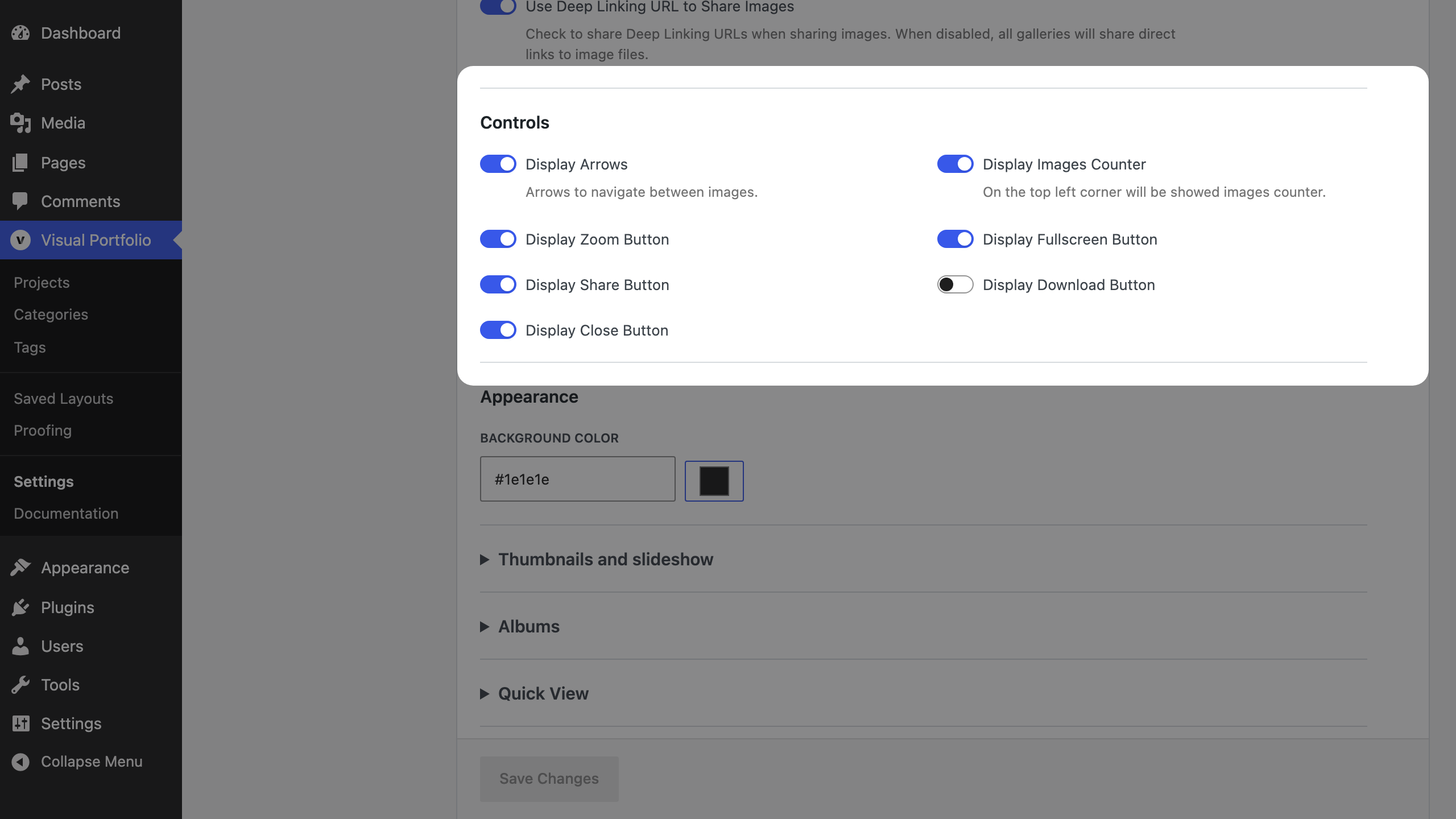
Fancybox and PhotoSwipe both show every control in this group.
| Setting | Default | Notes |
|---|---|---|
| Display Arrows | on | |
| Display Images Counter | on | |
| Display Zoom Button | on | |
| Display Fullscreen Button | on | |
| Display Share Button | on | Facebook, X, LinkedIn, Pinterest |
| Display Download Button | off | |
| Display Close Button | on |
Appearance
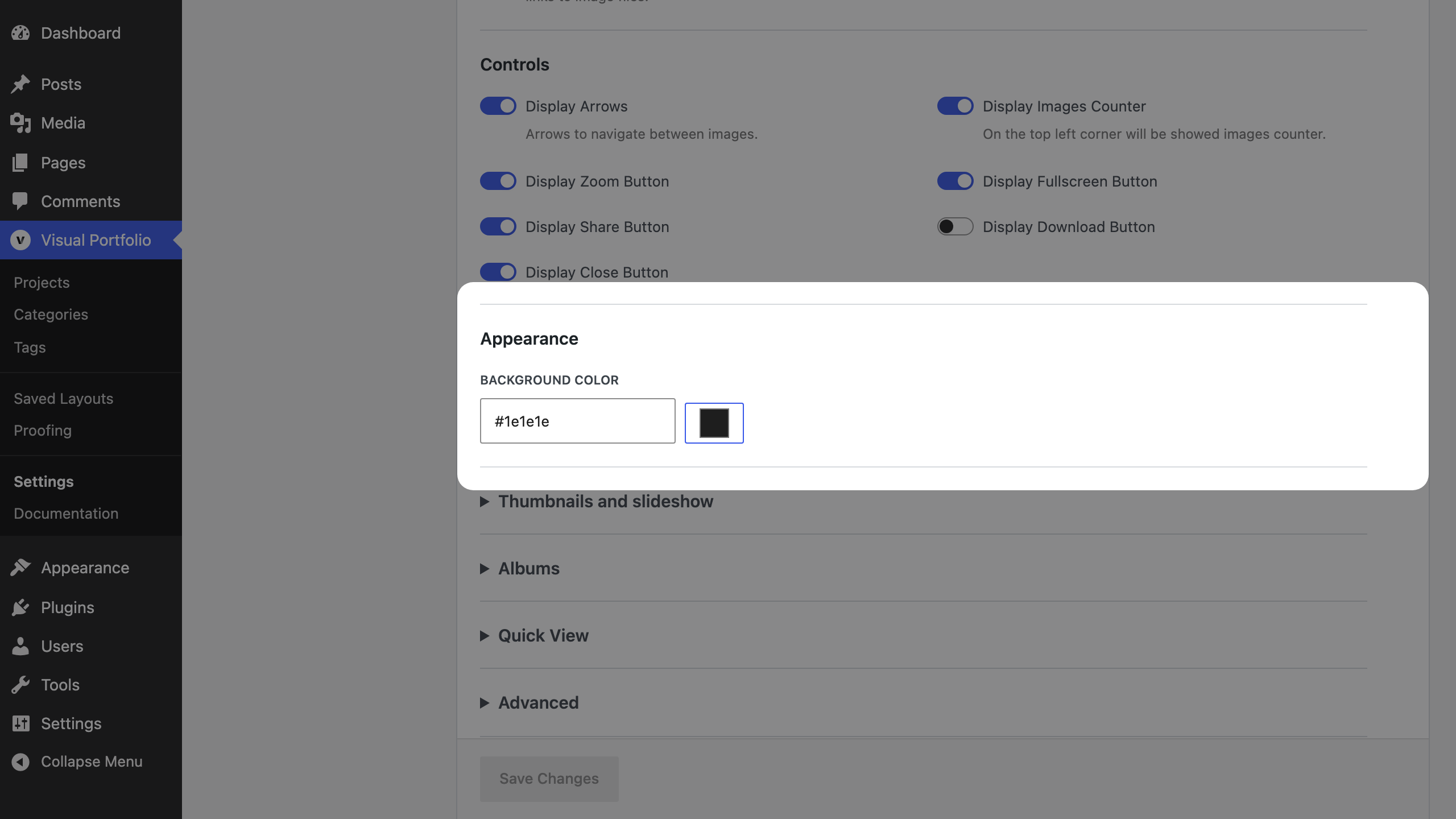
| Setting | Default |
|---|---|
| Background Color | #1e1e1e |
Thumbnails and slideshow
Fancybox only. The group is hidden while Vendor Script is PhotoSwipe. Thumbnails Opened At Startup and Thumbnails Position show when Display Thumbnails is on.
| Setting | Default | Notes |
|---|---|---|
| Display Thumbnails | on | |
| Thumbnails Opened At Startup (Pro) | off | |
| Thumbnails Position (Pro) | Vertical | Vertical, Horizontal |
| Display Slideshow | off |
Albums (Pro)
Pro Feature
This is a part of the Visual Portfolio Pro plugin.
Purchase the Pro plugin to access this and other advanced features.
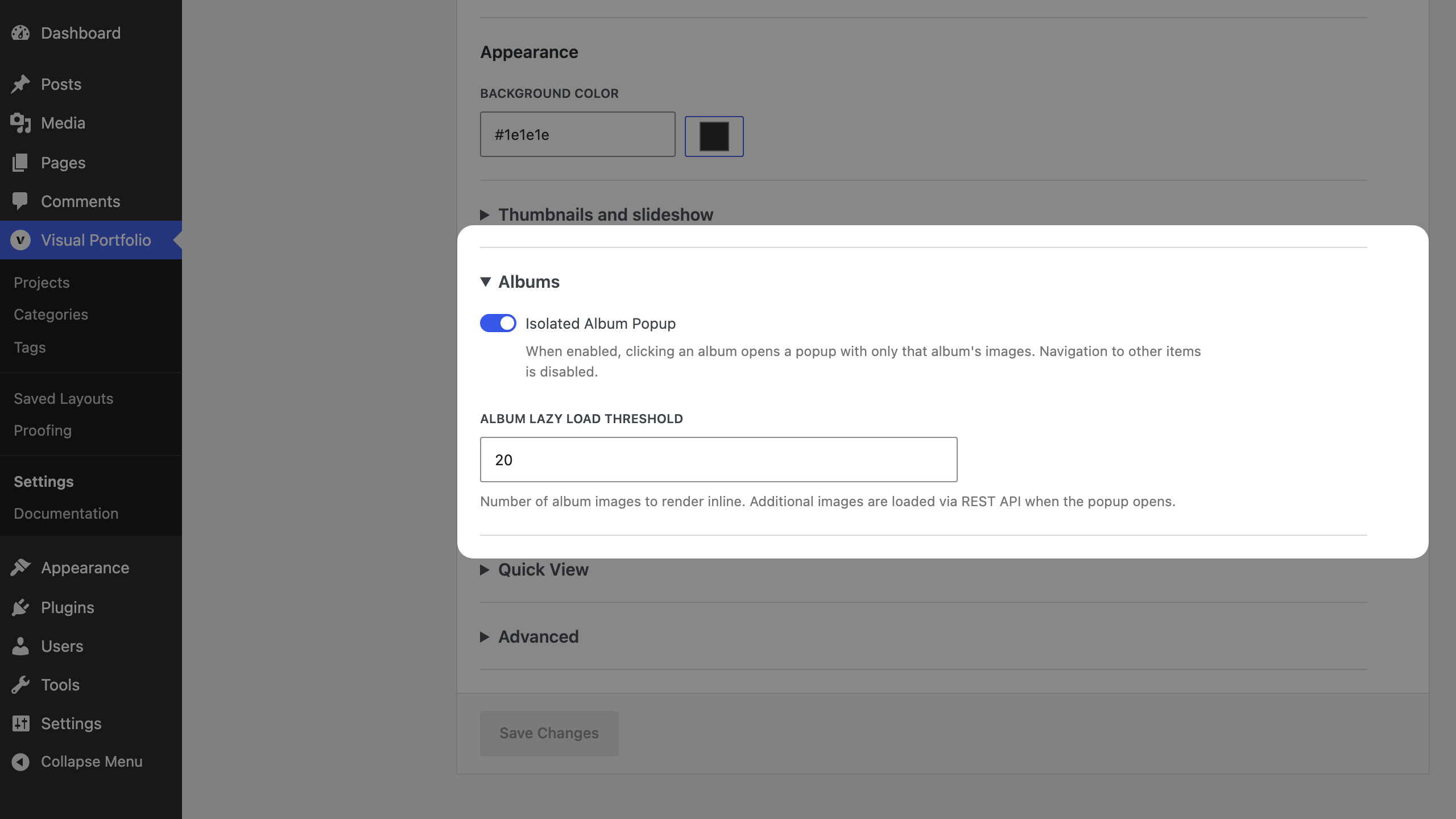
| Setting | Default | Notes |
|---|---|---|
| Isolated Album Popup | on | Clicking an album item opens only that album’s images. Off: the lightbox holds every item of the gallery, with album images inserted in place |
| Album Lazy Load Threshold | 20 (5 to 100) | Images rendered with the page; the rest are fetched from the REST API when the album opens |
These fields are part of the free plugin since 3.6.0 but only do something with Pro albums.
Quick View (Pro)
Pro Feature
This is a part of the Visual Portfolio Pro plugin.
Purchase the Pro plugin to access this and other advanced features.
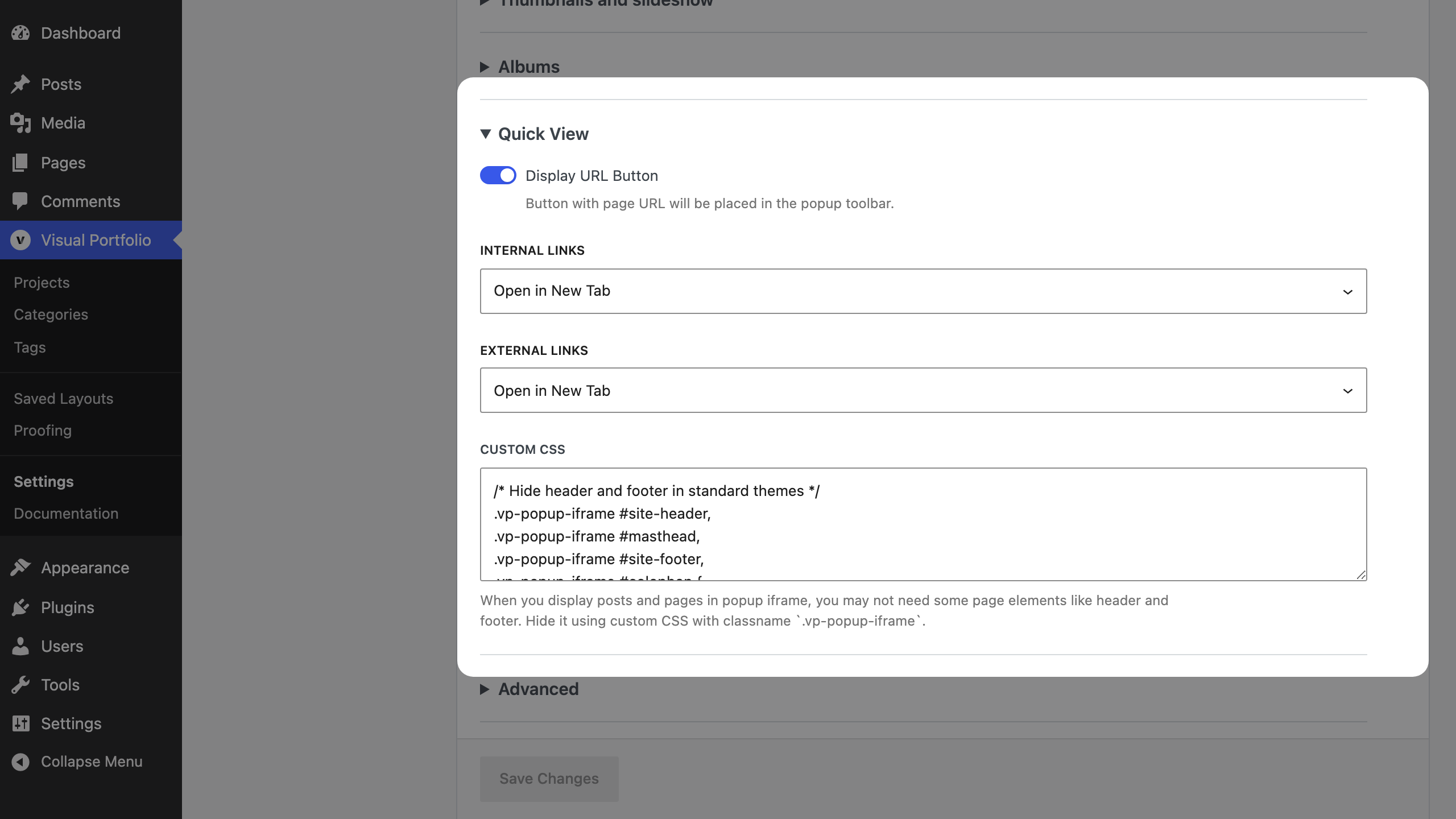
Quick View shows a post or page inside the lightbox as a frame. It is switched on per block with Post URL (Quick View) in Click Action → Media Object Priority.
| Setting | Default | Notes |
|---|---|---|
| Display URL Button | on | A toolbar button that opens the framed page in a new tab |
| Internal Links | Open in New Tab | What links inside the frame that point to your site do: Open in New Tab, Open in Current Tab, Open in Frame (not recommended), Prevent Click |
| External Links | Open in New Tab | Same for links to other sites |
| Custom CSS | Hides common header and footer selectors | CSS applied to the framed page. It gets the body class vp-popup-iframe, so .vp-popup-iframe .site-header { display: none } hides your header inside Quick View only |
Advanced
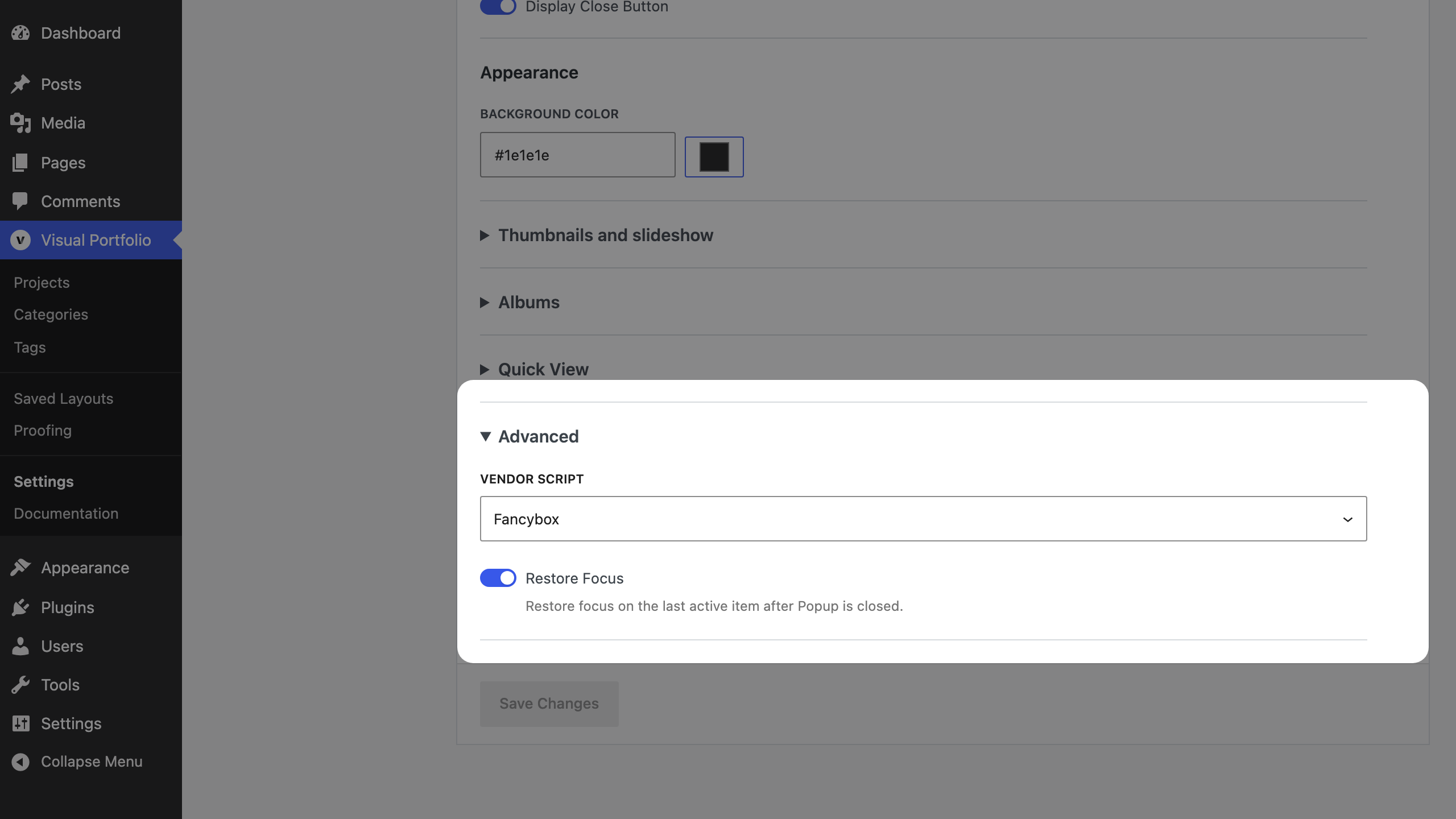
| Setting | Default | Notes |
|---|---|---|
| Vendor Script | Fancybox | Fancybox 3 or PhotoSwipe 4. PhotoSwipe has no thumbnails and no slideshow, so the Thumbnails and slideshow group is hidden with it. See Fancybox or PhotoSwipe? |
| Restore Focus | on | Focus returns to the clicked item after closing (keyboard users) |
Notes
- Which image, title and description a slide shows is decided per block in Click Action.
- The lightbox uses the Lightbox Image Sizes from Settings → Images, which sit in the collapsed group Image sizes.
- If the site header appears above the lightbox, see Site header displays above Popup gallery.